
Comparing OnlyFans Subscription Prices by Tier
Comparing subscription prices on OnlyFans is mostly about matching a price band to your own habits. The platform hosts free pages, low-cost pages, mid-range pages, and premium pages, and each band usually behaves differently.

A free page and a $25 page can look similar at first glance because both may post often. The difference shows up in what you get without paying extra: the higher the subscription price, the more content is usually included upfront, while free pages lean on tips and pay-per-view messages.
How price bands are structured
OnlyFans does not publish official tiers, so the bands below come from what pages actually charge. Paid subscriptions run from $4.99 at the minimum to $49.99 at the maximum, with most paid pages sitting between $4.99 and $15 and averaging $5 to $10.
What separates the bands is not just the number. A higher price usually means more included posts, longer videos, or fewer upsells, while a lower price often means the page expects tips and pay-per-view purchases to carry the revenue.
- Note the headline subscription price for each page you are considering.
- Check whether the page is free or paid before anything else.
- Look at how often the page posts and whether posts are gated.
- Add up any pay-per-view messages you would realistically buy.
- Compare that total against a higher-priced page with fewer upsells.
- Choose the band whose total monthly cost matches your habits.
There is no base price below $4.99 on paid pages. The only way a subscription dips under that figure is a promotional first month, after which the normal price applies on renewal.

The free and low-cost entry bands
A free page sets its price to $0 and earns through pay-per-view messages and tips instead of subscriptions. Nothing is charged at signup, but almost everything beyond the basic feed may sit behind a paywall.
Promotional pricing is a temporary discount on a paid page, usually applied to the first month only. It is not a separate tier, and the standard price returns when the promotion ends.
| Band | Typical price | How it earns |
| Free | $0 | Pay-per-view messages, tips |
| Promotional first month | Below $4.99 | Renews at standard price |
| Base entry | $4.99 | Subscription plus some upsells |
| Low-cost | $5-$10 | Subscription plus occasional pay-per-view |
Because OnlyFans has no built-in discovery feed or directory, finding pages at these price points is not a matter of browsing a catalogue. That is the reason ranking and directory sites exist, and why BestOnlyFans is used by readers who want a starting list rather than a blank search box.

The mid-range band
The mid-range band, roughly $10 to $25, is where the balance between included content and upsells tends to be clearest. Pages here often post regularly, include more in the subscription itself, and rely less on pay-per-view messages for their main income. For a viewer who checks a page several times a week, this band is usually the most predictable.
Predictability is the real product at this price. You know the monthly figure, you know roughly what arrives in the feed, and you are not deciding on a pay-per-view purchase every few days. That is worth more to some viewers than the lowest possible headline price.
- The subscription itself, charged monthly unless cancelled.
- Occasional pay-per-view messages you may or may not buy.
- Tips if you choose to send them, which are never required.
- Any promotional pricing that reverts after the first month.
A useful habit is to track two months of actual spending, not just the subscription line. If the subscription is $9 and you spend $12 on pay-per-view messages, the true cost is closer to $21, which may sit above a mid-range page that includes similar material. Comparing headline prices alone hides that difference.
One practical detail is worth knowing before you commit to any band. When a creator raises the subscription price, auto-renew stops, and existing access lasts only until the current paid period ends. That gives you a natural decision point: renew at the new price or let it lapse without doing anything.
Tip: Before subscribing to any page in a higher band, check when it last posted. A premium price on a page that has gone quiet is the most common disappointment in this bracket.

The premium band
Premium pages sit at the top of the range, up to $49.99, and are the least common. The pitch is usually a fuller library, fewer paywalls, and a more consistent posting schedule. Whether that is worth the price depends entirely on how much of the page you would actually use.
A viewer who checks a premium page daily gets a very different value than one who checks twice a month. This is why price alone is a poor signal of quality, and why per-use cost is the more honest measure. At $40 a month and daily visits, the cost is under $1.50 a day; at twice a month, it is $20 a visit.
- Subscribing on impulse without checking the posting history.
- Assuming a higher price guarantees more of what you personally want.
- Forgetting that promotional pricing reverts to the standard rate.
- Ignoring pay-per-view messages that may still exist at this level.
- Letting a subscription auto-renew when you have stopped using it.
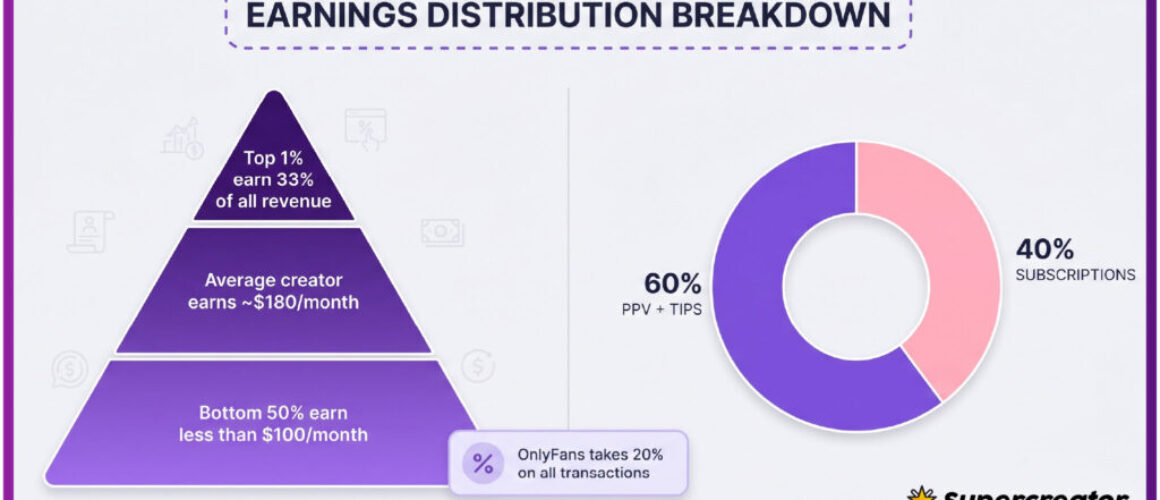
It also helps to remember that OnlyFans takes 20% of subscriptions, tips, and pay-per-view purchases, with the creator keeping 80%. That split is the same at $5 and at $49.99, so the price band reflects what a creator chooses to offer, not a different fee structure. A ranking site such as BestOnlyFans can save time by listing pages, but it cannot change the terms. For a starting point, free onlyfans canada accounts collects free pages.

Matching a tier to your habits
The most reliable way to choose a band is to work backwards from your own behaviour. Count how many times a week you actually open the app, and how often you buy a pay-per-view message when one arrives. Those two numbers point to a band more accurately than any ranking can.
- How many days per week would you realistically visit the page?
- Do you usually ignore pay-per-view messages, or buy them?
- Would a higher subscription price replace those purchases?
- Is the page still posting at a steady rate?
- Can you cover the total cost every month without adjusting anything else?
If the answer to the last question is no, the free or base entry band is the better starting point. You can always move up once you know how you use the page. Moving down is easy too, though the timing rules apply.

Reading a price tag honestly
The headline price covers access to the page, not the whole experience. Pay-per-view messages, tips, and occasional extras sit outside the subscription, and they are where many viewers spend more than they planned. Reading a tag honestly means separating the fixed monthly cost from the variable one.
On free pages, the split is almost entirely variable, which is why spending is harder to predict. On paid pages, the fixed share is larger, so the total is easier to control. Neither model is better in the abstract; they simply suit different habits.
- Monthly subscription, fixed and predictable.
- Pay-per-view messages, variable and optional.
- Tips, entirely at your discretion.
- Promotional first months that revert to the standard rate.
One more detail affects the total: when a creator raises the subscription price, auto-renew stops and existing access runs only to the end of the current paid period. So a price change is never a surprise charge; it is a renewal decision you make yourself.
Comparing two pages side by side
When two pages sit in different bands, comparing headline prices directly is misleading. The table below sets out the realistic monthly total for each option, including expected pay-per-view spending. Fill it in with your own estimates rather than the examples shown.
| Cost line | Page A (entry band) | Page B (mid-range) |
| Monthly subscription | $5 | $15 |
| Expected pay-per-view | $10 | $2 |
| Expected tips | $3 | $3 |
| Realistic monthly total | $18 | $20 |
In that example the two pages are nearly identical in total cost, even though their headline prices differ by a factor of three. That is the central point of this comparison: the band tells you how the cost is structured, not how large it will be. Bringing the structure in line with your habits still does more than picking a low number.
It also helps to record actual spending for one month before switching bands. Most viewers overestimate how much pay-per-view they buy, and that estimate is the main input in the table above.
When a cheaper tier is the better fit
A lower band is often the correct answer rather than a compromise. If visits are occasional or pay-per-view messages are usually left unopened, a free page or a $4.99 subscription costs less for the same practical use. Paying more only makes sense when the extra included content replaces spending you would otherwise make.
Switching down is straightforward. Cancel the subscription before the renewal date and access continues to the end of the paid period, then stops. If the creator raised the price at some point, auto-renew has already stopped and the same rule applies.
Before you move bands, check the account settings for two-step authentication and review which subscriptions are still active. That habit prevents the most common form of overspending, which is paying for pages you stopped visiting months ago. Reviewing the list takes a few minutes and usually settles the question. BestOnlyFans refreshes its rankings every month.
FAQ
What is the lowest price on OnlyFans?
The minimum for a paid page is $4.99. Only a promotional first month can go below that, and it reverts to the standard price afterward.
Do free pages cost anything at all?
No subscription is charged, but the page earns through pay-per-view messages and tips. Your spending depends on how often you buy those.
What happens if a creator raises the price?
Auto-renew stops automatically, and your access continues until the current paid period ends. You then decide whether to renew at the new rate.
Does a higher subscription include everything?
Not always. Some premium pages still send pay-per-view messages, so check the page before assuming the subscription covers all content.